Install Netbeans
Download netbeans from netbeans.org, link, Select Web & Java EE, you do not need to install GlassFish during installation
Setup up your computer
Windows users
Setup your environmental settings for JAVA and ANT.
add JAVA_HOME, ANT_HOME as shown in Figure.
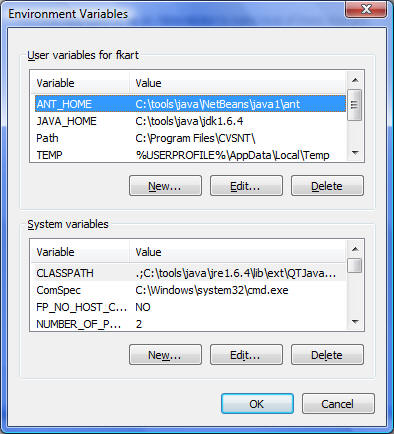
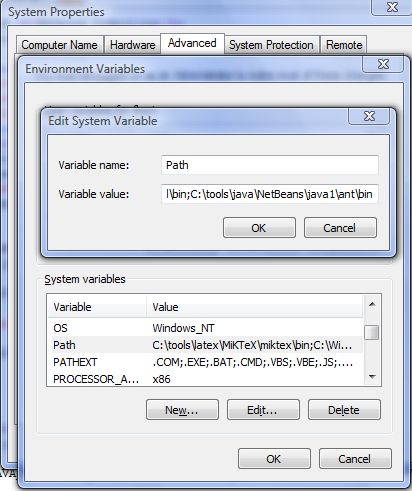
Add JAVA_HOME/bin and ANT_HOME/bin to your PATH variable
Double click on PATH, and add your JAVA_HOME/bin and ANT_HOME/bin to your path seperated by ";"
Linux users
Setup your environmental settings for JAVA and ANT.
add JAVA_HOME, ANT_HOME as shown in Figure.
Add JAVA_HOME/bin and ANT_HOME/bin to your PATH variable
Update/Add the following lines to your bash script (.bashrc).
You might need to type "bash" everytime you open your terminal.
*****************************************************************
# Source global definitions
if [ -f /etc/bashrc ]; then
        . /etc/bashrc
fi

## Environmental settings for JAVA, ANT and NETBEANS

export JAVA_HOME=/eci/jdk1.5.0_09
export NETBEANS=/eci/netbeans-5.0
export ANT_HOME=/eci/netbeans-5.0/ide6/ant/

export PATH=$JAVA_HOME/bin:$ANT_HOME/bin:$NETBEANS/bin:$PATH

alias cl="clear"
alias home="cd ~"
alias ls="ls --color"
*****************************************************************
Create project with netbeans
** Click on images to see them clearly
[1] Download the project template
[2] Extract the files, it is password protected, in case you don't know or forgot, send me email
[3] Open Netbeans
[4] File/New Project
[5] Categories (Java), Projects (Java project with existing Ant script) and NEXT
[6] Select Location of the project folder, NEXT
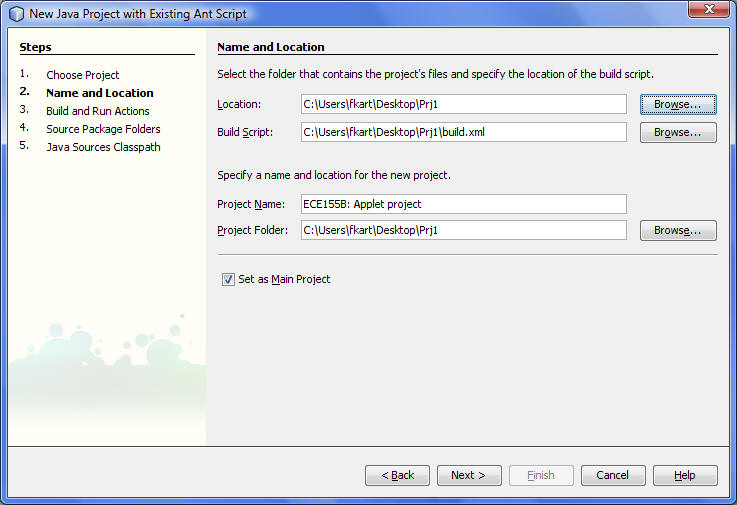
[7] Ant targets, you do not need to modify. (you might make Build Project --> jar), NEXT
[8] Add your src folder as one of the source folders, NEXT
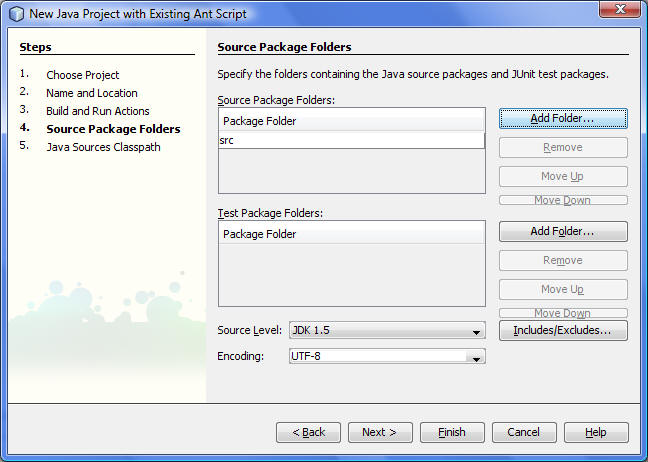
[9] Add jar file (xstream-1.3.jar) into your classpath (it is located under lib directory)
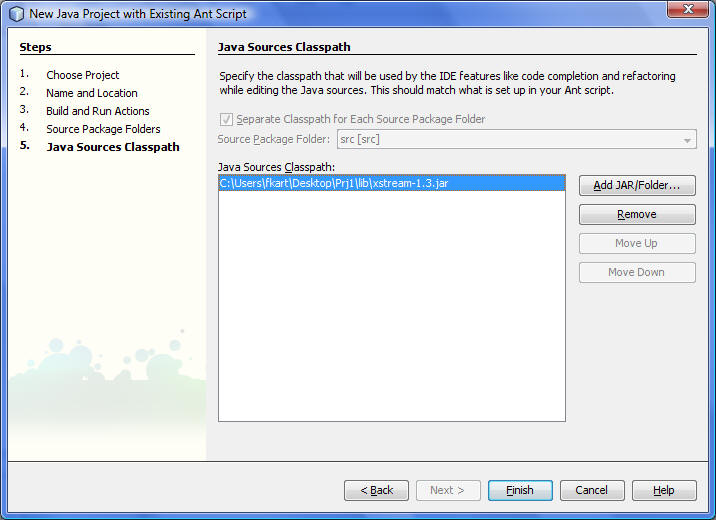
Now you can compile (F11), run (F6) your project. Good luck